Milestone of Metaessen V3 series and next plan
Metaessen is more complete and stable as a bookmark manager or note-taking app.
Metaessen version 3 series is finished.
- REST API
- Browser extension: Metaessen Web Clipper
- Data cache
- Copy resources
- Show result entity on detail aside
- Better UI
Main purpose of next plan: Sharing and Social
Milestone of V3 series
Some basic enhancements, REST API, and basic extensions are completed in V3 series.
Many aspects of the UI and basic features have been improved.
Users can get and save content from the web using Bookmarklets or Web Clipper conveniently.
Users don't worry data losing when creating or editing the content because of data cache.
Users can manage or manipulate their data by third-party APPs or tools using the REST API.
Users can create new entities from existing ones by copying them easily.
Main features of V3 series:
API and Extensions
-
Create API tokens on
Settingspage -
Create and release REST API
-
Create and release Metaessen Web Clipper 1.0.0
You can install the web clipper from Firefox Addon Store for Firefox Desktop and Firefox Mobile.
You can download the web clipper from the server, then install it manually for Chromium, Google Chrome, Brave, Arc, Orion, and other Chromium-based browsers.

Save anything from the web
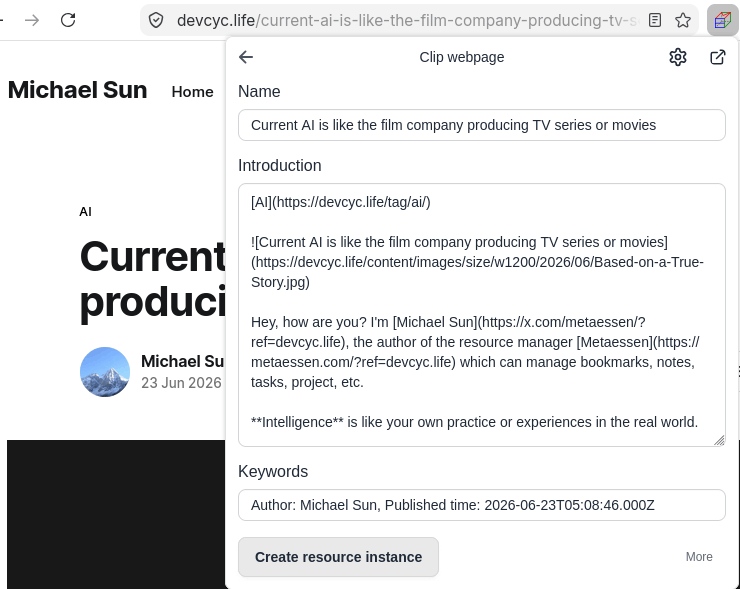
Save web pages in markdown format
Entity list or detail
-
Add "Refresh" button for a system
You can click "Refresh" button to retrieve the latest state of a specific system tree.
-
Add "Copy" button for system path
Click "Copy" to copy a specific system path for a system or resource instance.
-
Display the moved instance or system after clicking "Move resource instance" or "Move system".
-
Cache data when creating or updating entities(resources, instances, systems, and keywords), so that you will not lose data after closing the editor or browser window accidentally.
- Cache data when editing
- Restore the cached data when opening the editor window again
- Clear the cached data automatically when necessary
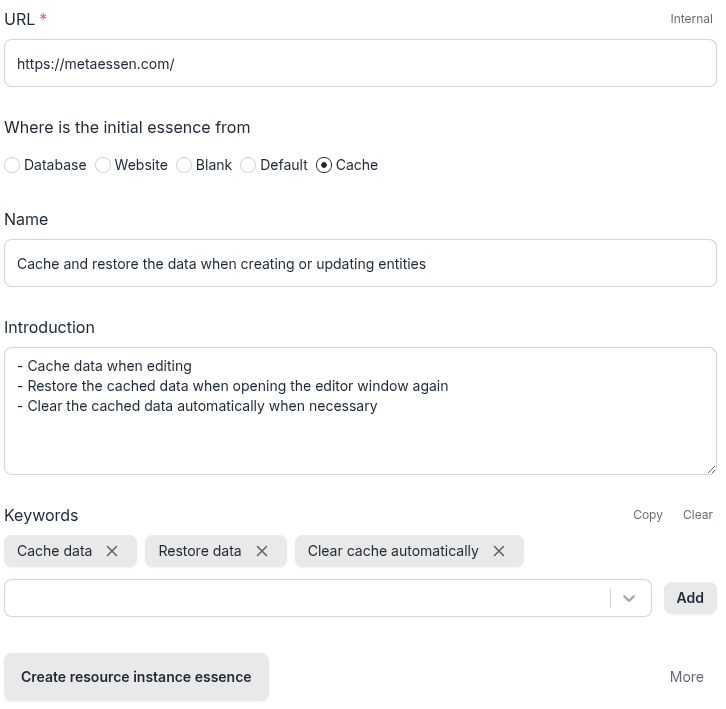
Cache data
-
Copy a resource
-
Change URL when copying an instance
-
Improve the feature of the orders and bound time of keywords
-
Copy a system to another system with the options
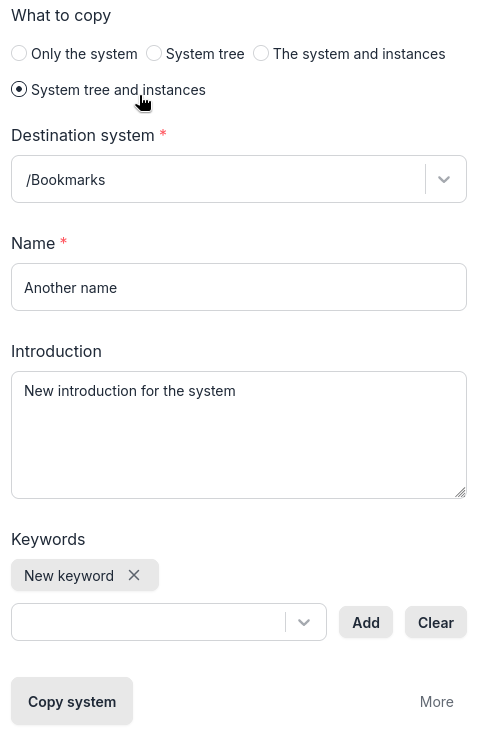
Copy system with options
-
Create "Copy" button to copy a resource instance in a system to another one in another system
-
Do not remove blank spaces for introduction data field automatically when saving it
UI
-
Move button "Clear" of keywords list to the title bar (the right side of the label "Keywords"), and add one new button "Copy".

Copy and clear buttons for keywords editor
-
Add parent, root, current buttons on system path selector. These buttons are invisible at first, and you need to hover the cursor on them to show and use them.

Current, parent and root buttons for system path selector
-
Right clicking on close button of the entity list to return to instance list quickly
-
Improve feedback UI for new created entities in order to the users check, view and navigate them easily.
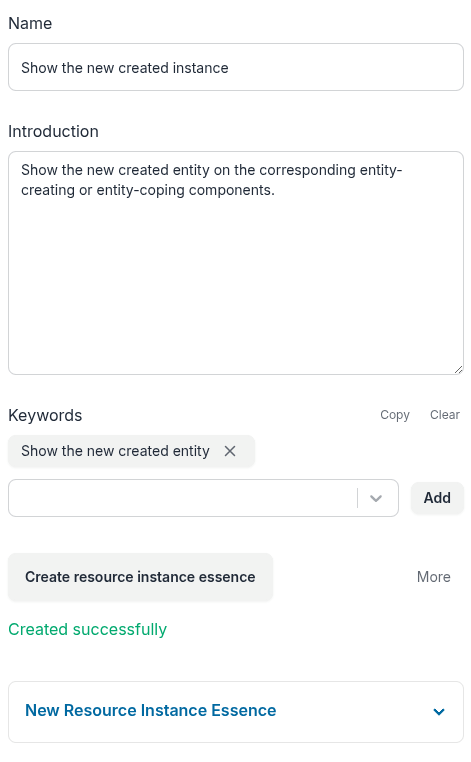
Show new entity after creating it
-
Improve the UI, navigation and operation for keyboard shortcuts
-
The top bars of three areas (system tree, entity list, and entity detail) are all fixed.
-
Add a "more" button into the top bar of entity detail area when there is no space to display all buttons on narrow screen.
-
Adjust the size of editing area automatically when inputting text (Firefox does not support it now, and the version of Firefox 152 maybe support it)
-
Disable navigation buttons on top systems bar on mobile screen
Other
- Fix some bugs
- Improve the statistics for keywords
- Improve home page
- Improve docs
Next Plan
Main Purpose
Sharing and Social
Main Tasks
-
Share entities with other users or the public
- Social bookmarking
- Publish or share resources
-
Enhance existing features
-
Improve or create advanced Extensions (Optional)
- Improve browser extensions
- RSS reader and manager
-
Create some useful advanced features (Optional)
-
Create resource content management system to save and manage the original resource contents of unlimited length
-
Create resource annotation management system to add and manage annotations, explanations, reviews, or comments of resources
-
Upload and manage files (including images)
-
Add favicons for bookmarks
-
Support reStructuredText, and more text formats
-
Preserve webpages
-
Support more file formats for import and export (Markdown, CSV, Excel, TXT, etc.)
-
Internationalization and Localization (Support multiple Languages)
-
Encryption
-
Backup and Restore
-